QUICKINSPECT ACADEMY
Practical training and resources for getting started, creating better reports, running smoother inspections, and building a stronger inspection business.
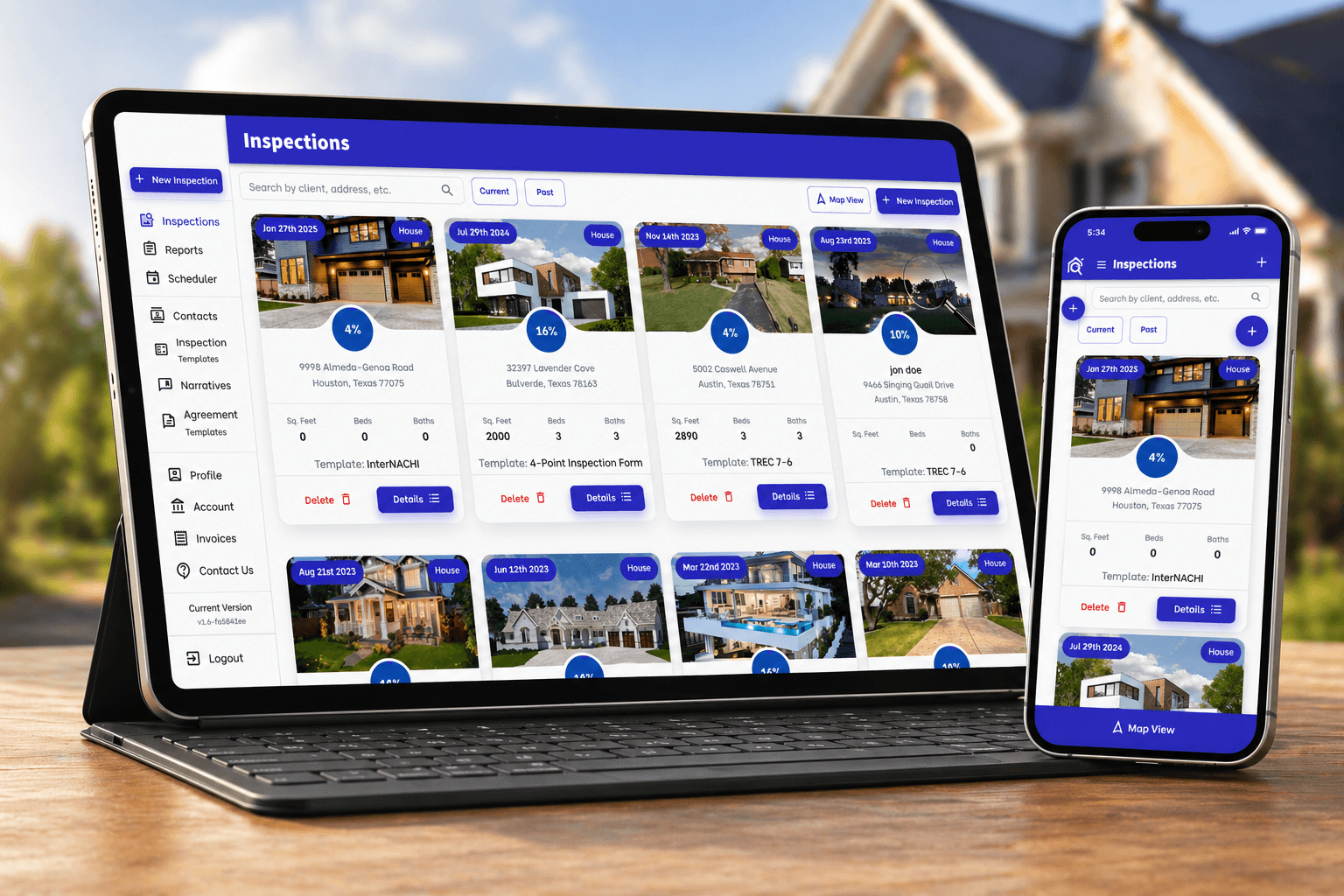
Set Up QuickInspect
Learn the dashboard, account setup, contacts, and your first inspection.
Create Better Reports
Build professional reports with templates, narratives, summaries, photos, and video.
Switch to QuickInspect
Bring over the templates and narratives you rely on and get personal help making the move.
QUICKINSPECT ACADEMY
Getting Started
You’ll learn: account setup, navigation, contacts, and your first inspection.
Reports & Narratives
You’ll learn: narratives, photos, summaries, and report delivery.
Templates
You’ll learn: how to organize templates for the inspections you perform.
Scheduling
You’ll learn: scheduling steps, calendar organization, and inspection coordination.
Agreements & E-Signatures
You’ll learn: agreements, e-signatures, and the steps around each inspection.
Inspection software should also help inspectors operate professionally and compete effectively.
Inspector Websites
Build a credible web presence and clearer booking paths for prospective clients.
Business Operations
Keep scheduling, agreements, payments, and client communication connected.
Professional Visibility
For Texas inspectors, build professional identity and support trusted discovery.
QuickInspect works across iOS, Android, Mac, Windows, and Chromebooks and can be installed from the browser.
Mobile-first on phones, tablets, laptops, and desktop devices.
REAL HUMAN SUPPORT
Whether you’re setting up your first template or moving an established inspection business, the QuickInspect team can help.
Where should I start with QuickInspect?
Start with the 20-minute setup walkthrough, then create a practice inspection and report.
Can I use QuickInspect on my phone, tablet, or computer?
It works across phones, tablets, laptops, and desktop devices through its mobile-first web experience.
Can QuickInspect help me move from another inspection platform?
The QuickInspect team can help plan the move and work with the templates and narratives you already use; contact the team for your specific setup.
What training is available?
Tutorials cover setup, reporting, templates, scheduling, agreements, e-signatures, and everyday workflows.
How do I get help from a person?
Contact QuickInspect or call 512-695-0589 for real human support.